
How can we help?
Common questions and guides for your account. Can't find an answer? Write to us: info@rando.ge

Frequently asked questions
How does payment work?
You pay one fixed amount each month. It covers design, hosting and technical support. There is no upfront fee.
Who helps me during the project?
Your personal manager. We agree the details together and stay in touch for the whole project.
Can I buy out my website?
Yes, any time. After the buyout the code is yours and the monthly fee stops.
How long does it take to build a website?
A standard website takes a few days. For a complex project we give you a timeline after a consultation.
Are hosting and the domain included in the price?
Hosting is included in every plan. We register the domain for you, and its cost is billed separately.
Can I change my plan or make changes to the site?
You can switch plans any time. Monthly changes are already included in most plans.
Who owns the website and the domain?
The domain is yours from day one, we register it in your name. You can buy out the site code any time.
What if I change my mind?
You can cancel your subscription from your account. The guide is on this page.
Why monthly and not a one time payment?
A website needs ongoing updates, SEO, hosting and security, and we take care of all of it.
Can I see an example for my business type?
Yes. Fill in a short form and we will prepare an example for your business.
Will my website show up on Google?
Basic SEO is included in every plan. Growth, Premium and Domination also get monthly articles.
Your account, step by step
How to remove a card from your account
Removing a saved card takes 4 steps. You don't need to contact us.
1Log in to your account
If you are not logged in yet, log in with the same email and password you registered with.
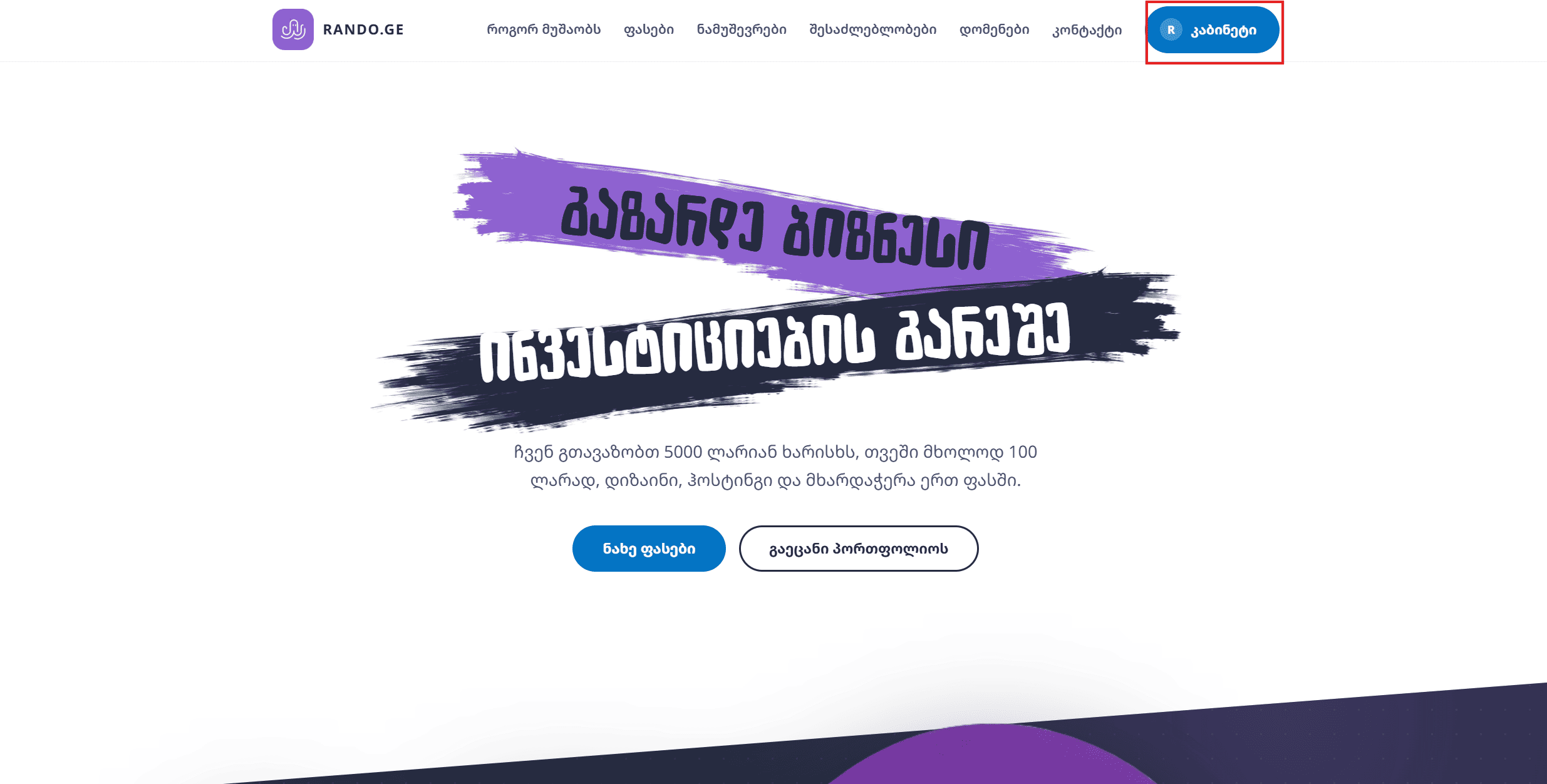
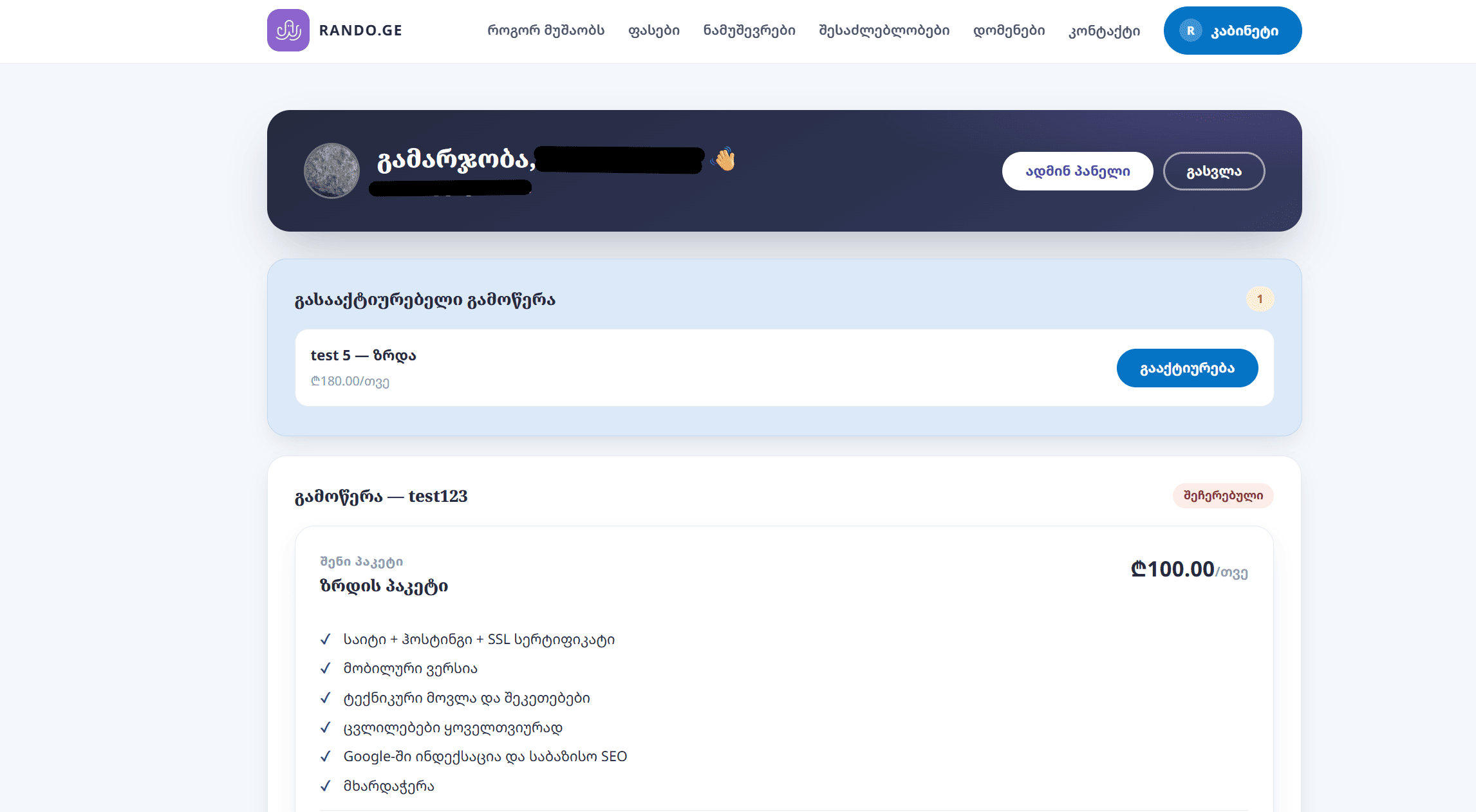
2Open your account
In the top menu, on the right, click your account button. This takes you to your account.
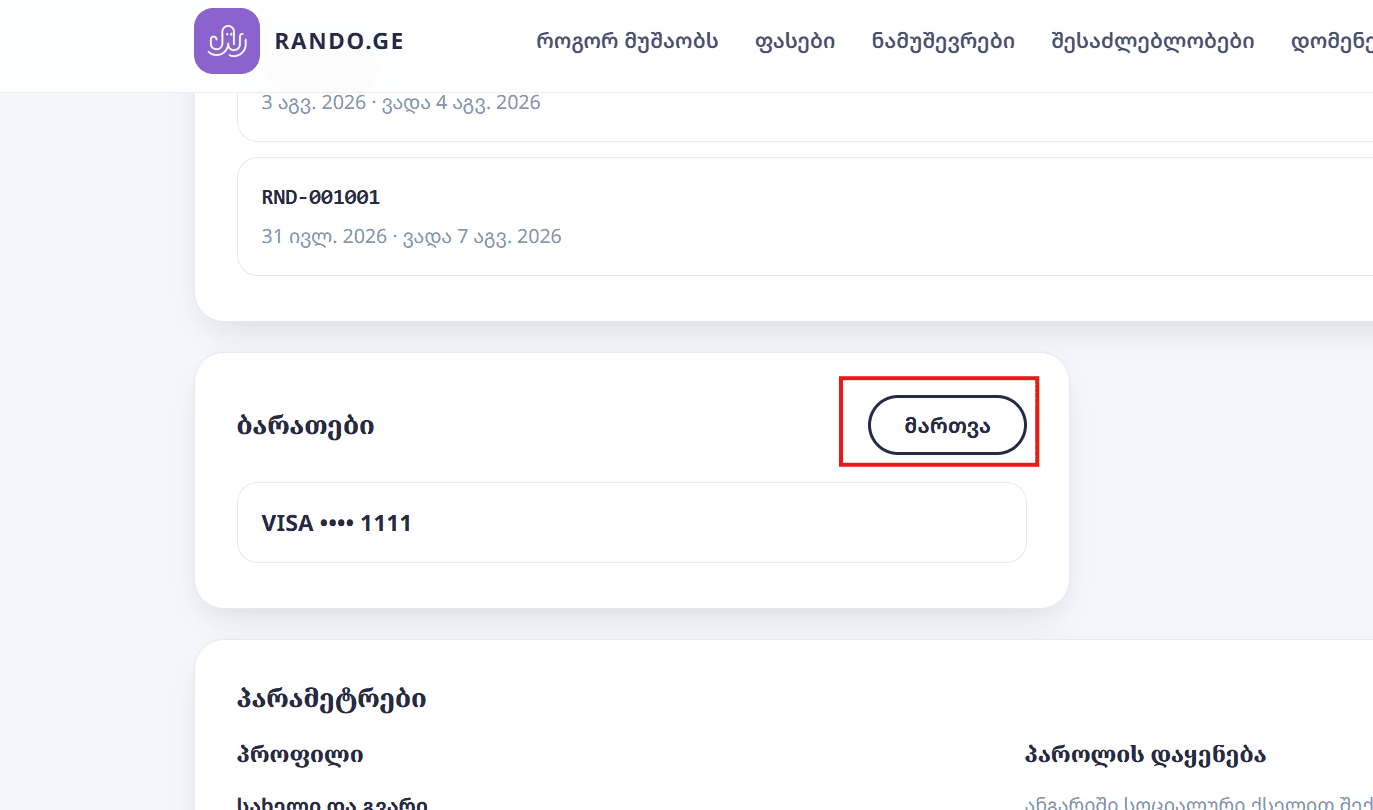
3Scroll down to Cards and click Manage
Scroll down until you see the Cards section, then click Manage.
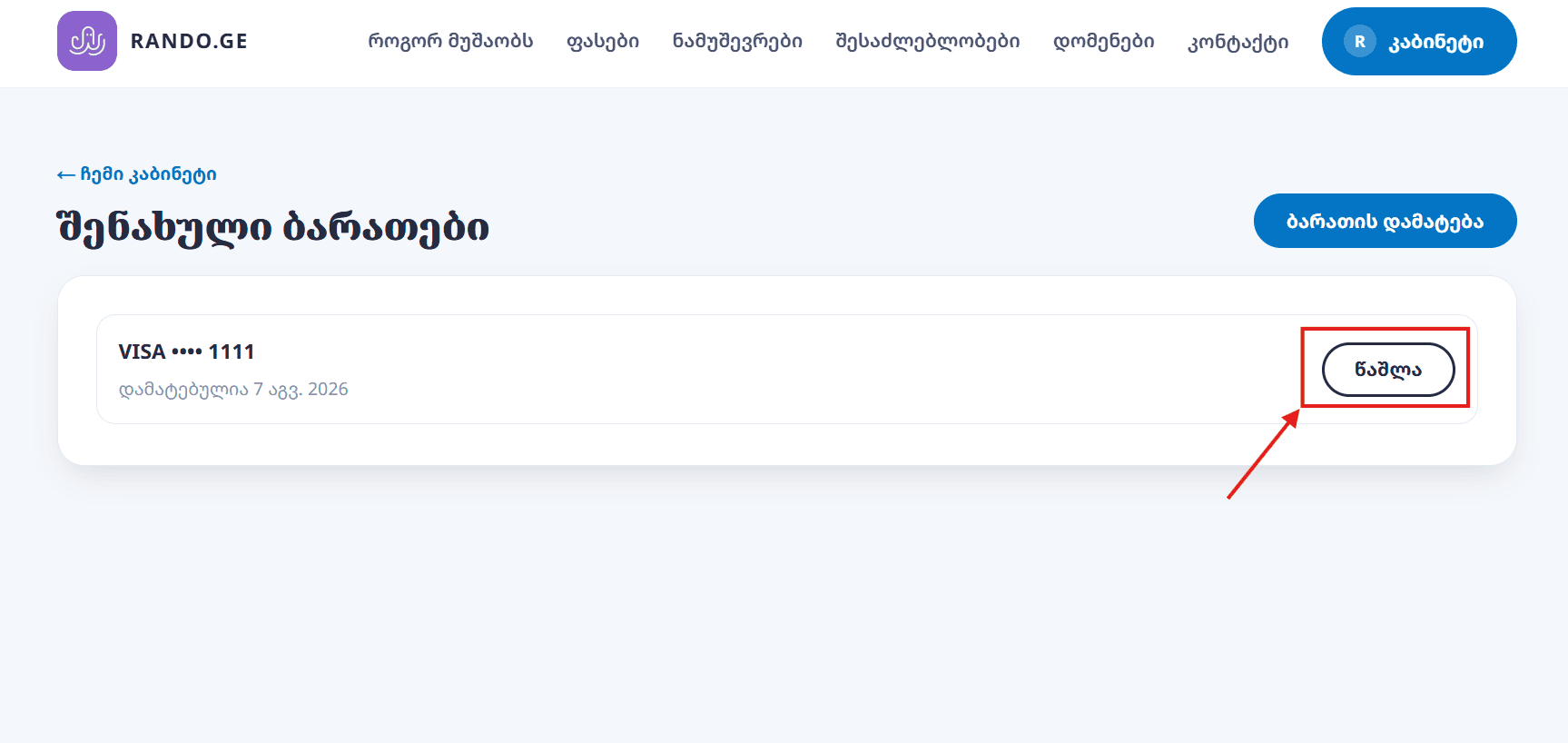
4Pick the card and click Delete
The Saved cards page lists every card you saved. Find the one you want to remove, click Delete next to it and confirm. The card is removed right away.
What happens after you remove a card
- The card details are deleted from our system, so you can no longer pay an invoice in one click. You will pay manually or with another card.
- You can add a card again any time from the same page.
Removing the active card
The system won't let you remove the card your subscription uses. To remove it, cancel the subscription or switch cards first.
- Switch cards: add a new card in your account, then on the subscription page click Change card and pick the new one.
- Cancel the subscription: after cancelling you can remove the card freely. The guide is below.
How to cancel your subscription
Cancelling also takes 4 steps. You don't need to contact us.
1Log in to your account
If you are not logged in yet, log in with the same email and password you registered with.
2Open your account
In the top menu, on the right, click your account button. This takes you to your account.
3Find your subscription and click Details and cancel
In your account, in the subscription block, click Details and cancel to open that subscription.
4Click Cancel subscription and confirm
At the bottom of the page, click Cancel subscription and confirm. Automatic charges stop right away.
What happens after you cancel
- Your card will not be charged again.
- You can then remove the card. The subscription is no longer active, so Delete on the saved cards page will work.
- To restart your subscription, write to info@rando.ge.
More questions
Payment and subscription terms are in the terms of service and the refund policy (in Georgian). Otherwise reach us from the contact page or write to info@rando.ge.
Let's build your website together
Write to us and we reply within 1 business day. info@rando.ge · +995 550 50 61 03